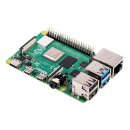
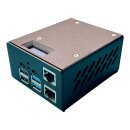
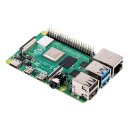
This splitter separates the 5V power and data lines in a USB cable.
Power and data go to different places, while ground remains shared.
This prevents power conflicts and helps protect your devices.
It is designed primarily for DIY PiKVM setups based on Raspberry Pi 4B,
but it is also useful for many other Raspberry Pi and embedded USB projects.
What It Does
The splitter safely isolates USB power (5V) from USB data lines (D+/D−)
inside a single USB connection.
Why You Need It for DIY PiKVM
When building a PiKVM from scratch, you need to:
- Power the Raspberry Pi
- Transfer USB data to the host computer
On a Raspberry Pi 4B, the USB-C port handles both power and USB OTG data.
However, the Pi can unintentionally feed power back into the host computer's USB port.
This may cause instability or even damage the port.
This splitter solves the problem by separating the 5V power line while keeping
USB data and ground connected.
Benefits
- Pi receives clean 5V power from a dedicated power supply
- No need to power through GPIO pins
- USB data works normally
- No backpowering into the host computer
- No random host reboots or boot failures
- No USB device detection issues
Other Use Cases
This splitter is useful anytime you need USB data without shared USB power.
- USB gadget mode on Raspberry Pi 4B, 5, Zero, or Pico
- Embedded Linux devices with USB OTG
- Custom KVM and remote management projects
- DIY electronics projects using external power
Bonus Feature
The USB Type-C design allows the splitter to be rotated.
This lets you choose whether the power and data sockets are positioned
on the left or right side.
How to Connect
- Connect the power input to a 5V power supply (up to 3A)
- Connect the data port to the laptop, workstation, or server
- Connect the USB-C output to the Raspberry Pi
Power and data remain electrically separated while functioning
as a single USB connection.
Key Advantages
- Prevents reverse power flow (backpower)
- Protects host and target USB ports
- Stable Raspberry Pi power delivery
- Full USB data functionality
- Simple plug-and-play installation
- No firmware or configuration required